

If you’ve ever stared at your website analytics and felt like it’s speaking an alien language, here’s a bit of good news.
Google Search Console, that tool website owners love to hate (or love to love), has just announced a new feature — Recommendations.
What’s new with the new Search Console Recommendations?
Based on the official announcement from Google Search Central, they give you actionable SEO tips delivered straight to your dashboard.
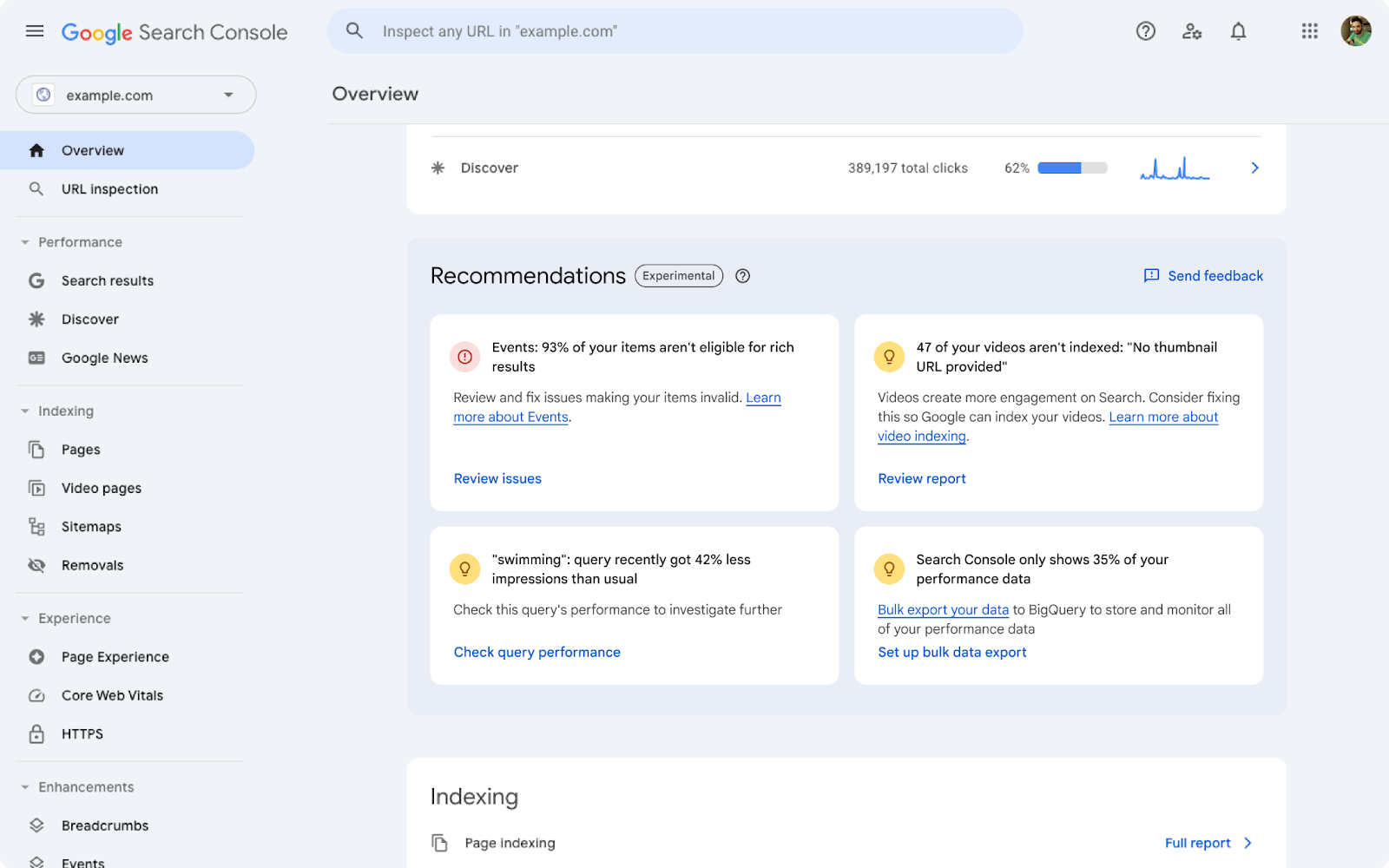
While the new Recommendations feature is still in its early stages, here’s what we know about it based on official releases:
- Google’s audits your site
Google checks out your website and sees what’s working (and what’s not). - It’ll give you personalised suggestions
Based on what the bots find, Google gives you specific advice on how to improve your site. - Insights will be easy to understand
Google tries to explain things in plain English so you don’t need a degree in computer science. - Not everyone will get it yet
This new feature is still a work in progress, so don’t be surprised if you can’t see it right away. - It might change and improve over time
Google is still testing things out, so the recommendations might change over time.
How to see if you have the new Recommendations feature…
Here’s how to check:
- Go to Google Search Console. This is where you usually look at your website’s ranking stats.
- Find your property (website). Choose which website you want to check.
- Go to the Overview page, the main page of your website’s dashboard.
- Look for Recommendations. If Google has this new feature for your website, it should be there.
If you don’t see anything new, don’t worry.
Google is slowly adding it to different websites.
It might take a few months for it to show up on yours.
And even when it’s ready for everyone, you’ll only get recommendations if there’s something you need to do for your website.
What could this update mean for you?
Whether you’re a small business owner trying to get found on local search, or an SEO professional looking for quick wins, this new tool is supposed to help you:
- Save time
No more endless hours pouring over data. - Improve your rankings
By following Google’s advice, you could see better search results. - Understand your audience
The data used to generate recommendations can also give you insights into your visitors.
BUT, as always, whether it actually does these is another topic altogether.
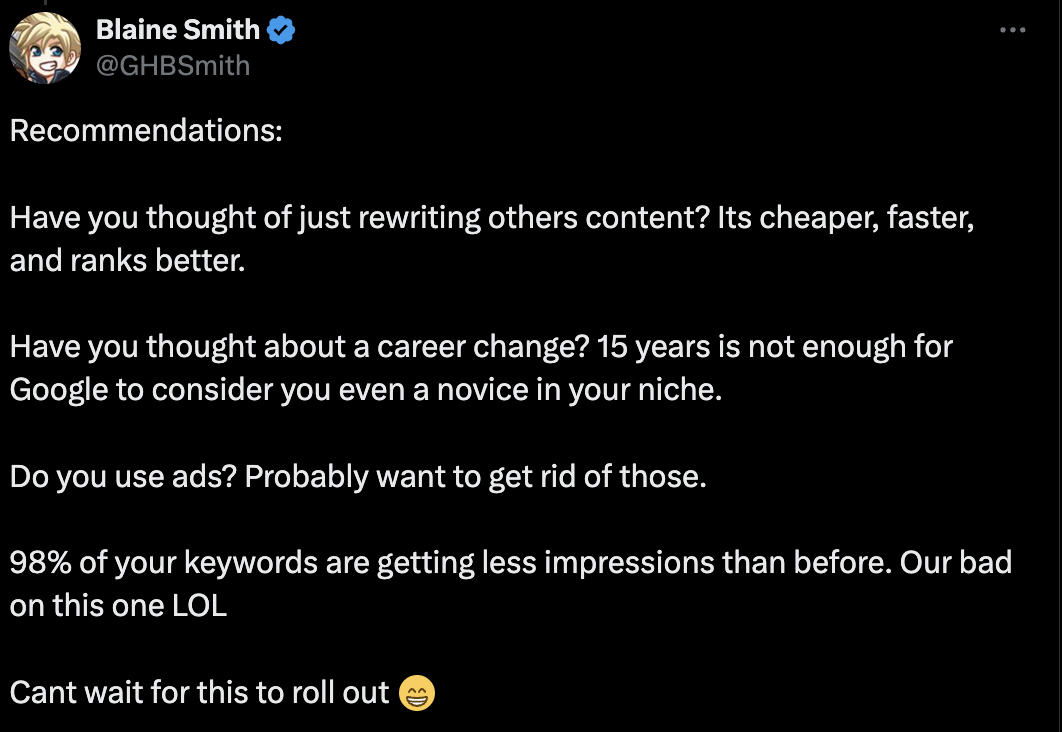
For people who already have access to this new feature… Well, let’s just say the reviews are mixed.



Previous updates on Google Search Console
The new Recommendations feature is just one of the cool things Google has added lately.
They’ve been working on making the whole thing easier to use, giving you better information about your website, and improving how your site shows up in search results.
- They’ve added metrics like Interaction to Next Paint (INP) to the Core Web Vitals report. This helps you understand how fast and responsive your site is.
- They’ve also added support for more types of structured data markups, which helps your site show richer search results.
- The Index Coverage report now gives more detailed info about your site’s indexing status, helping you spot and fix issues faster.
- Google has also improved the Performance report to offer better insights into search query data.
What if you don’t have Recommendations yet?
For those of us still waiting, we can only hope this new feature doesn’t end up in the Google graveyard (ehem, Google Jamboard).
Crossing fingers that this won’t be another epic fail.
In the meantime, there’s the less glamorous Search Console Insights.
Hey, at least it might give you a clue about what’s working and what’s not.